New Opportunities
for your Design
MDESIGN 2026 marks the next step in technical calculation: new features, intelligent assistance, and optimized usability for more efficient design processes.
Taking Technical Calculations a Step Further
MDESIGN 2026 marks the next step in the evolution of engineering calculations: Numerous new features, optimized modules, and a modernized user interface make your daily work even more intuitive, efficient, and inspiring.
Discover how well-designed features and smart details make all the difference—for greater speed, precision, and enjoyment in designing.
What's New in " MDESIGN " 2026
Enhanced 3D Assistant for Intuitive Modeling
In MDESIGN , graphical wizards offer a quick and easy way to create designs without having to perform calculations. In MDESIGN mechanical and MDESIGN bolt, the “Screw” modules have been enhanced to include this input option.

New AI-powered assistant for MDESIGN bolt
The new AI assistant in MDESIGN bolt helps you select the optimal utilization factor according to VDI 2230. It helps you determine when your own specifications are appropriate—and when different values make sense . This makes specifying the tightening torque even safer and more efficient.

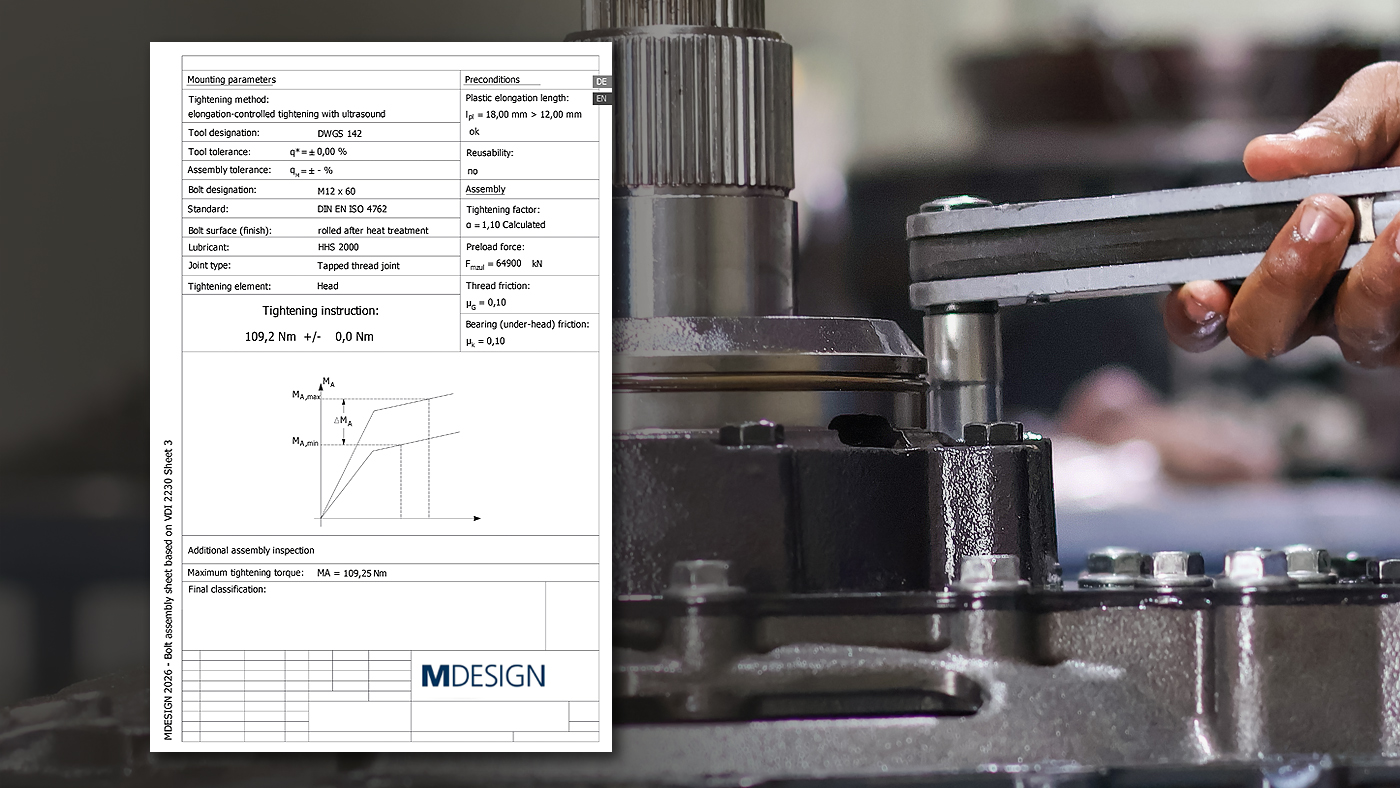
Transparent assembly processes at the click of a mouse in accordance with VDI 2230 Sheet 3
An automatically generated assembly sheet with calculation values in accordance with VDI 2230, Part 3 (Draft) summarizes all key parameters for a safe, traceable assembly process. This allows you to generate clear, standards-compliant documentation of your bolted joints at the click of a button.
New screw types for more practical applications
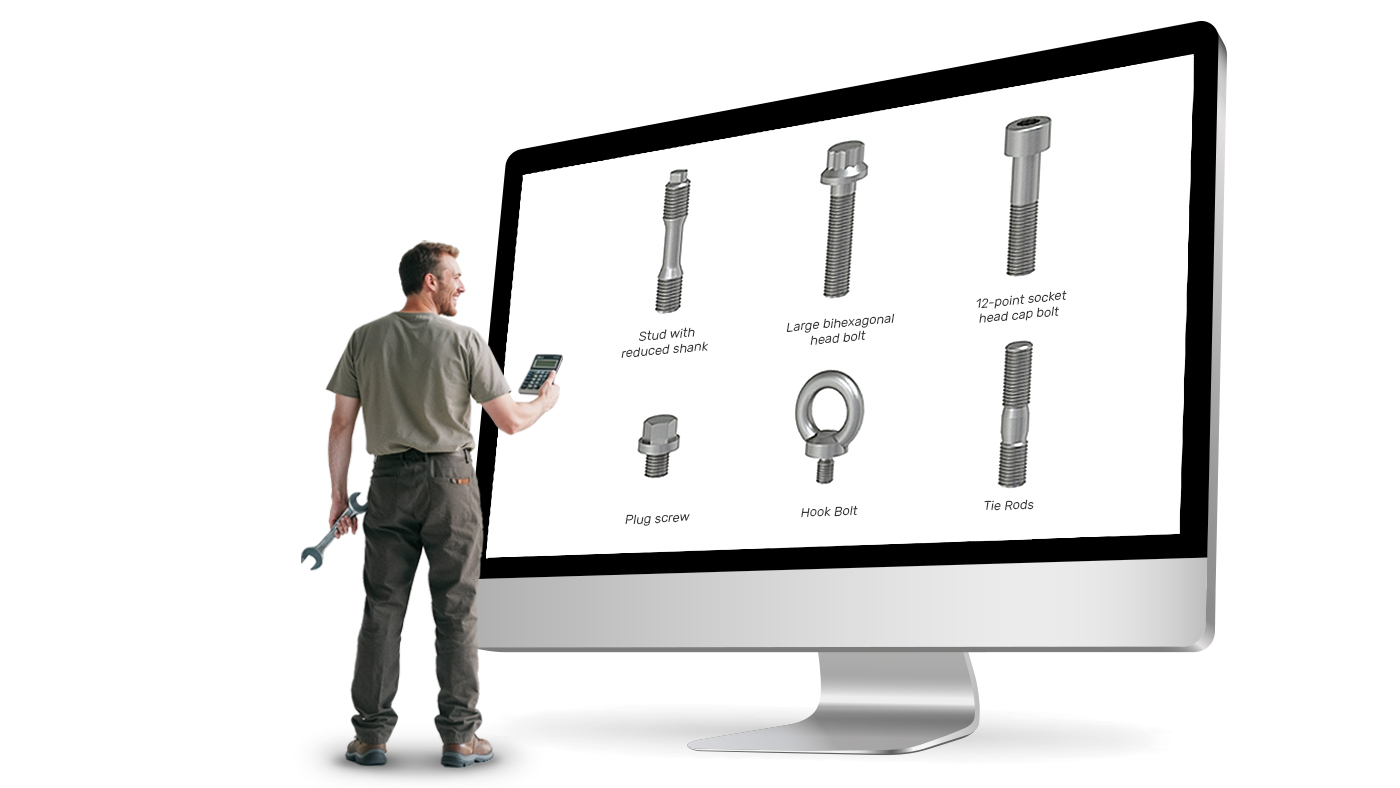
Numerous requirements have now led to an even broader range of applications for bolt design. Now, additional bolt types can be calculated and verified using MDESIGN bolt, such as new bolts, hex bolts, locking bolts, and hook bolts, as well as tie rods.
Additional "O-ring" module
With the new “O-Ring” module in the “ MDESIGN ” section at MDESIGN mechanical, you can calculate geometries, installation spaces, and groove fill factors in accordance with ISO 3601-2—simply, precisely, and optimally tailored to your application.

Strong calculation of "Face Spline"
With the new "Planker Gear" module in the MDESIGN , you can quickly and accurately determine the geometry, local tooth root stress, and strength verification of Planker gears— for Hirth, Couvic Coupling, and Zyklo-PalloidGearings with both central and decentralized fastening.

Practical Expansion: New Safety Features
The "Screw" module now includes expanded databases with new retaining elements such as clamping washers, locking washers, wedge-lock washers, and NSK washers. In addition, the manufacturer data has been updated and expanded to include Teckentrup and Heico—for calculations that are even more practical and compliant with standards.

Progress often begins with a step back
Using Variants to Find the Best Solution—A Major Benefit by MDESIGN. In addition to parametric analysis, it is now possible to switch back and forth between individual steps. This allows for the rapid evaluation of situational alternatives.

aiven - your smart assistant
With the new chatbot “aiven,” you’ll receive direct support for questions about calculations, usage, and technical details. Whether you need quick help with day-to-day tasks or in-depth explanations—aiven thinks along with you, explains things clearly, and makes getting started with MDESIGN even easier.

More clarity, more flexibility: MDESIGNdoc is here
The previous MDESIGN PDF is being replaced by the new MDESIGN doc, which offers a modern and more flexible documentation platform. A notable new feature is the integrated commenting function, which allows inputs and outputs of a calculation project to be added directly to the document and explained in a clear and traceable manner.

Focus on optimized usability
Custom column visibility in database tables, customizable selection dialogs, and interactive 3D graphics in the core modules ensure intuitive and customized navigation of the MDESIGN interface, even when working with large amounts of data.

MDESIGN News


All the New Features of " MDESIGN " 2026 in Detail
Discover all the changes, enhancements, and technical details in the latest release notes, or try MDESIGN out for yourself right away.