Perfect for beginners

StartUp-Training

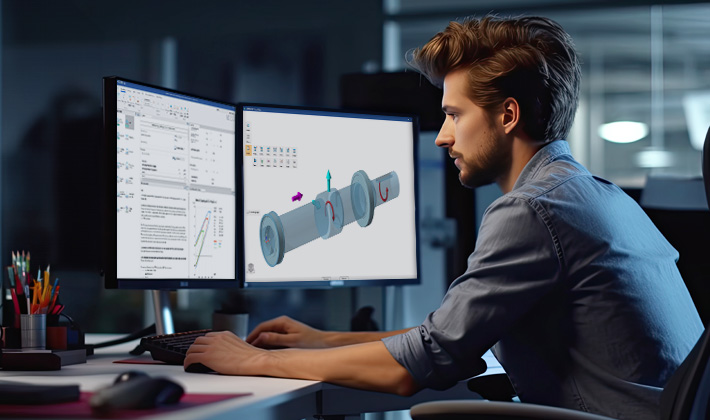
In the StartUp training course, you will learn how to use the MDESIGN software in just 3 hours.
You will receive an introduction to the user interface of the current MDESIGN version.
Access to MDESIGN help systems in order to make safe decisions during
to make safe decisions during input is also part of the training, as is an overview of the
of the MDESIGN technology and geometry data tables. Furthermore you will experience
how results are calculated quickly. Diagrams and graphics are then used to
then be assessed with confidence. Another part of the event focuses on the configuration of the calculation documentation in order to be able to create multilingual documents in the shortest possible time.


Use advantages

Productivity

Support for design tasks with MDESIGN

Analysis

Method and tool competence to assess MDESIGN use cases

Learning success

Intensive learning experience for a motivated start with MDESIGN

Expertise

Answers to initial questions and interesting tips and tricks.

Focal points

StartUp-Training
  • Navigation through the MDESIGN topics
  • Overview of MDESIGN help systems
  • Access to geometry and technology tables
  • Preparation of initial results
  • Optimizations through parameter changes
  • Presentation of automatic parameter studies
  • Configuration of the calculation documents
  • Presentation of tips & tricks for everyday practice
StartUp-Training

Info

Duration

3 hours
09:00 - 12:00

Quick start

No MDESIGN software required.

For whom?

Individuals.
Also available for company groups on request.

Where?

Bookable as an in-house or online event.

Your speaker

Dipl.-Ing. Heinz-Markus Höltermann

  • Studied mechanical engineering at the Ruhr University Bochum and the University of Sheffield, specializing in design and automation technology
  • Seminar leader with many years of experience for leading national and international industrial companies
  • Project and development engineer for screw calculations


Target group

  • Newcomers who will use MDESIGN in the future
  • Managers who want to get an overview of the application potential


Dates

September 29, 2026:
October 15, 2026:
October 29, 2026:
November 26, 2026:
December 10, 2026:
December 17, 2026:

Seminar dates

9:00 a.m. – 1:00 p.m. (German)
9:00 a.m. – 1:00 p.m. CEST (English)
9:00 a.m. – 1:00 p.m. (German)
9:00 a.m. – 1:00 p.m. CET (English)
9:00 a.m. — 1:00 p.m. (German)
9:00 a.m. — 1:00 p.m. CET (English)


Technical requirements

Startup training
  • Online event
    All participants must be authorized to participate in an online webinar. Access for Microsoft Teams or GotoMeeting will be sent to each participant. E-mail address required.
  • In-house event
    The client provides a suitable room for the event. The provision of a projector or a large screen is desirable, but not a requirement.

Training prices


Take advantage of our customer benefit of 10% as an MDESIGN service customer.
All prices plus VAT.


Training request for companies

For a larger number of participants from a company, we also offer our training courses on individual dates.


 

Even More Knowledge

Discover Our World of Seminars

Bolted connections

design, selection and optimization

Overview of the importance of load-bearing capacity, design & assembly | VDI 2230

Shafts

Application: DIN 743 & FKM

The theory of safety verification according to DIN 743 Parts 1–4 is explained using practical example problems.

Welded Joints

Quality-Oriented Design in Practice

Design, Quality Control, and Loss Prevention in the Field of Welded Structures in Accordance with ISO 2553.

Calculations Made Easy

MDESIGN Software Solutions

Time-saving, standards-compliant design, verification, optimization, and documentation of components and component groups.
Software Solutions at a Glance
Discover Your Full Potential

MDESIGN Services

Our services not only offer you many years of experience and expertise in calculation, simulation, and software development, but we are also implementing an increasing number of engineering projects using machine learning and artificial intelligence.
Services at a Glance

News

MDESIGN News

software

Technical Article: Materials Database

Instead of relying solely on standard values from tables, the system combines proven material fundamentals with customizable parameters. …

A Direct Comparison: MDESIGN vs. Excel. Mechanical engineering software for the technical analysis of components.
software

MDESIGN vs. Excel

In this analysis, we show when Excel is sufficient, when MDESIGN is the better choice, and how the two approaches differ in practice. …

Screw Technology software

Reliably Calculating Temperature-Dependent Screw Forces

Why thermal effects in bolted joints are often underestimated—and how you can reliably account for them …